Installer tracking
Every unit, every crew, and where it stands.Failed items go straight back to the crew that owns them.
Assign installer companies to each project by trade. Every crew sees its company’s units, the PM sees every unit by status, and anything that fails review goes back to the company that owns it until it passes.
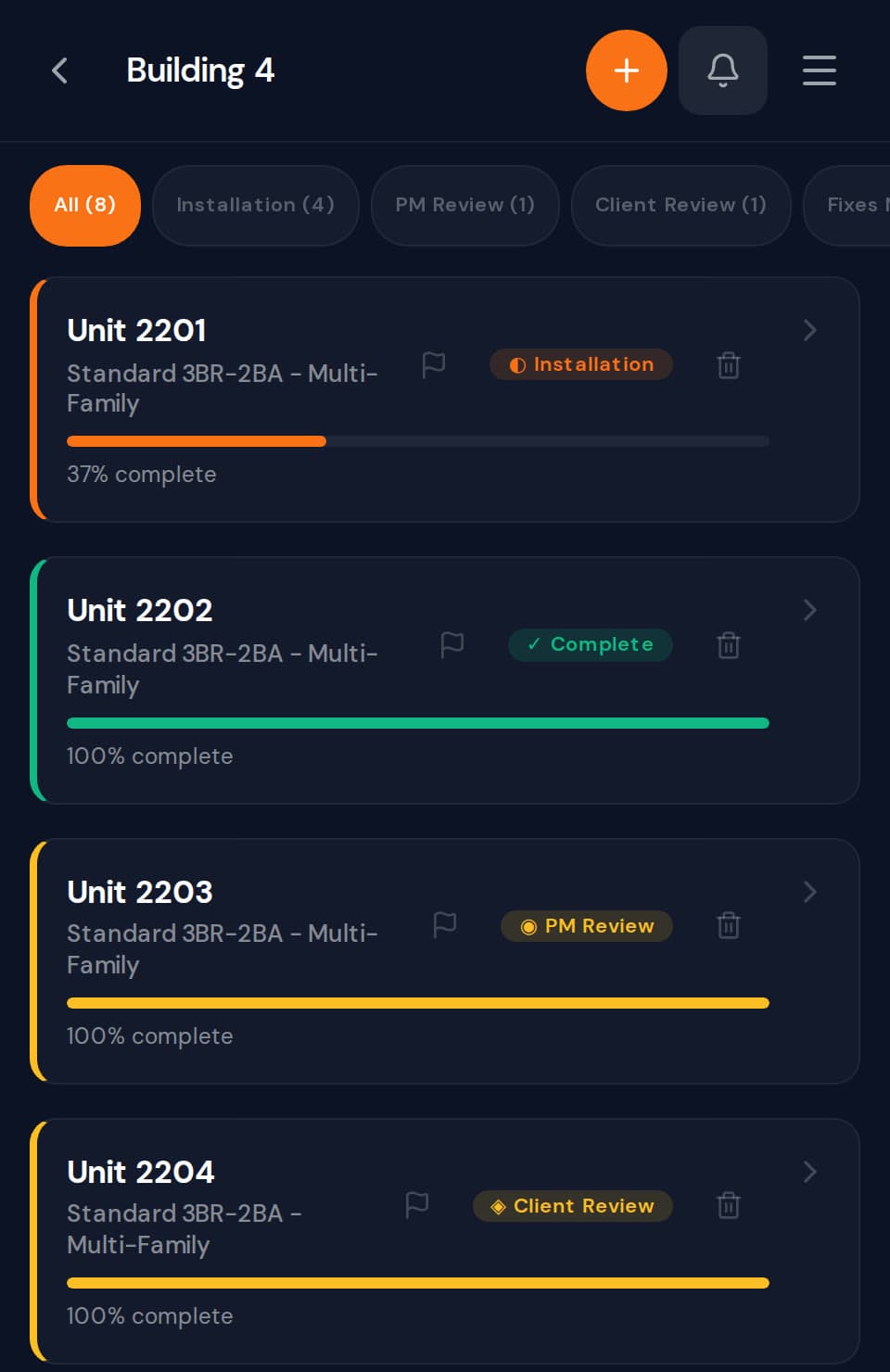
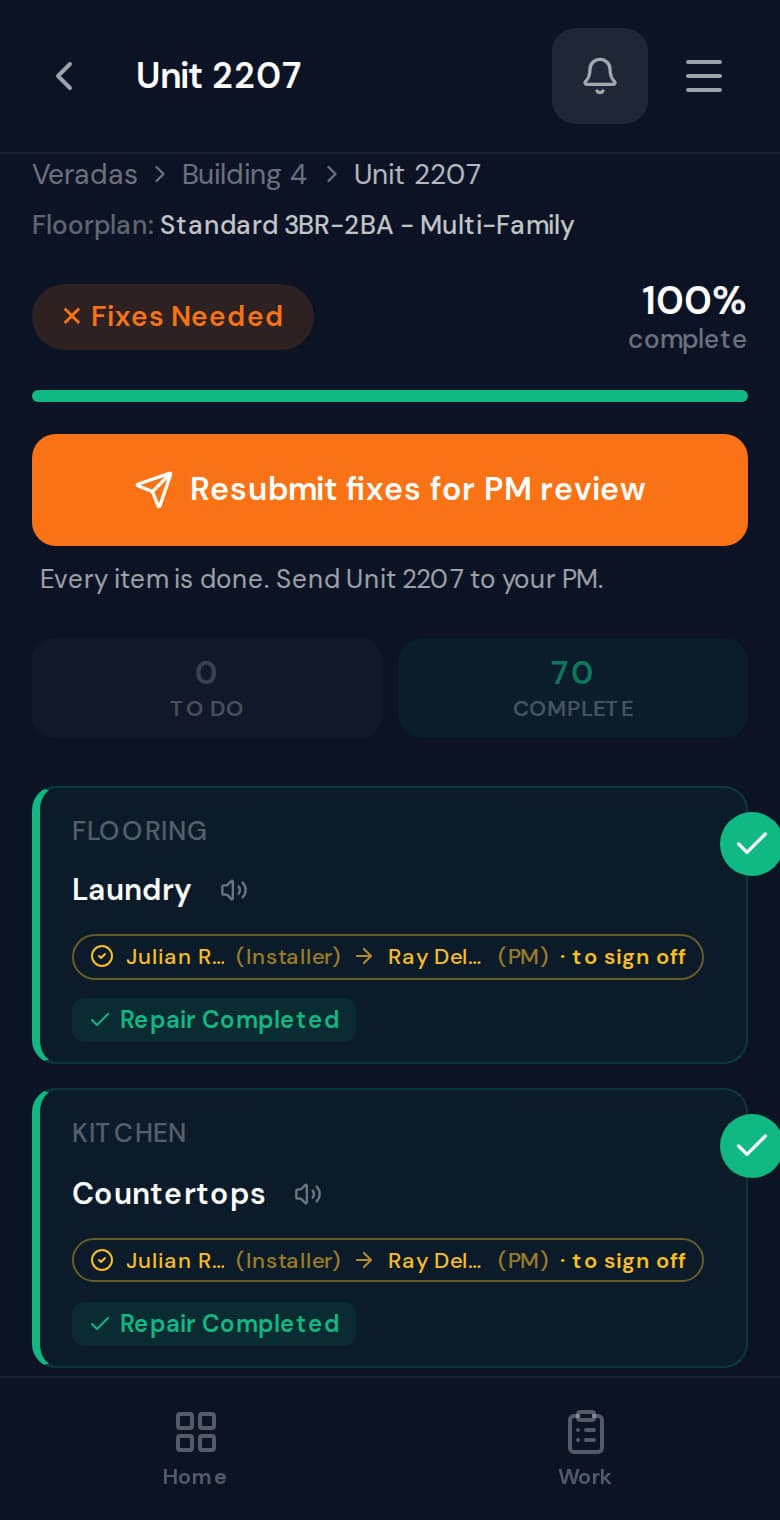
Example: Unit 2207 starts in Installation while the flooring crew works it. In PM Review the project manager fails the laundry floor with a photo, so the unit moves to Fixes Needed and goes back to the crew that owns it. The crew makes the repair and resubmits it for PM Review. The PM passes every item, the unit moves to Client Review, and it is Complete when the client signs off.
One list of units. Everyone sees their part.
Assign installer companies to the project by trade. Company leads bring their own crew in with a crew code, and the work on each unit routes to the company that owns that trade.
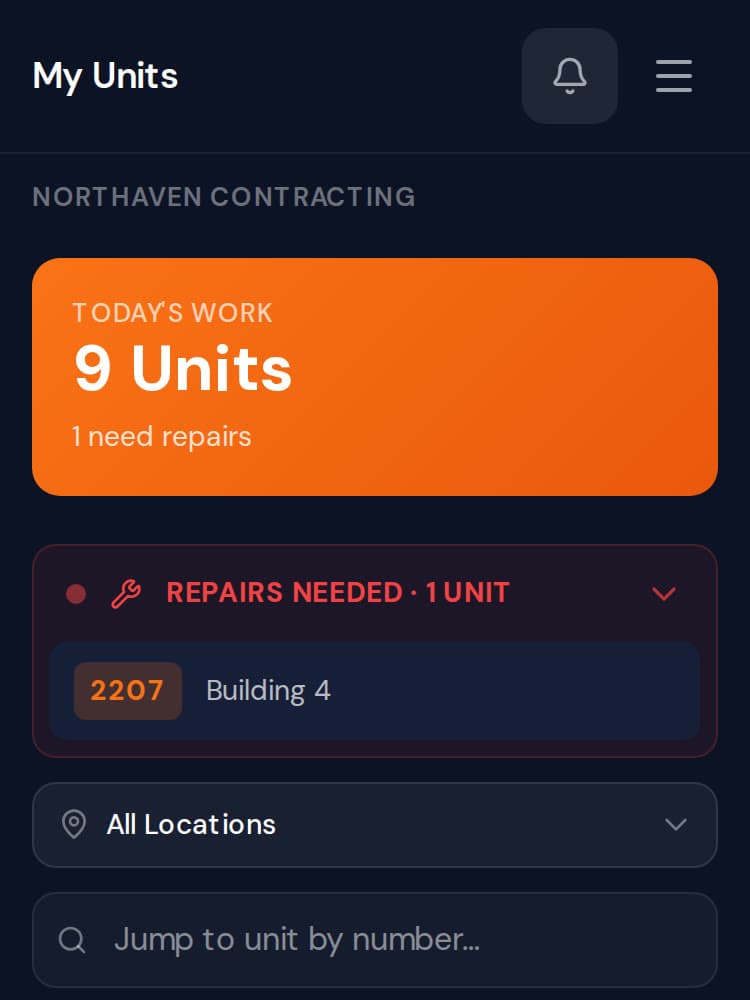
Step 1: Each crew sees its company’s units.
Installers open ProPunch to the units their company owns, with anything that needs a repair at the top.
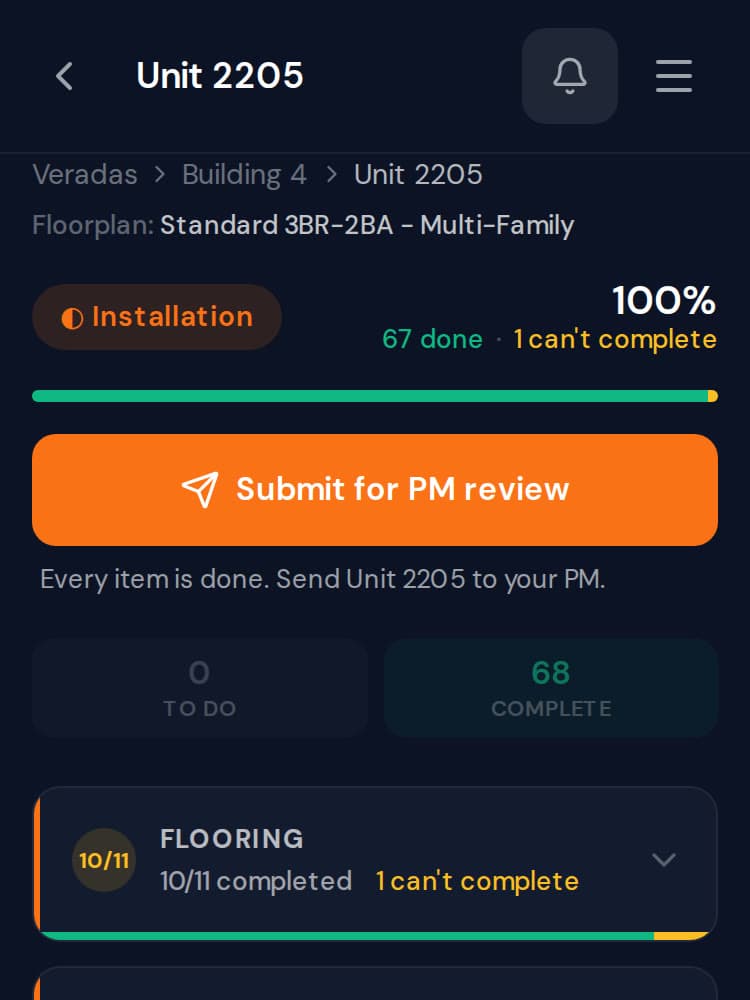
Step 2: The crew finishes and submits.
When every item is done, the crew sends the unit to the PM. Anything they could not finish is marked, not left out.
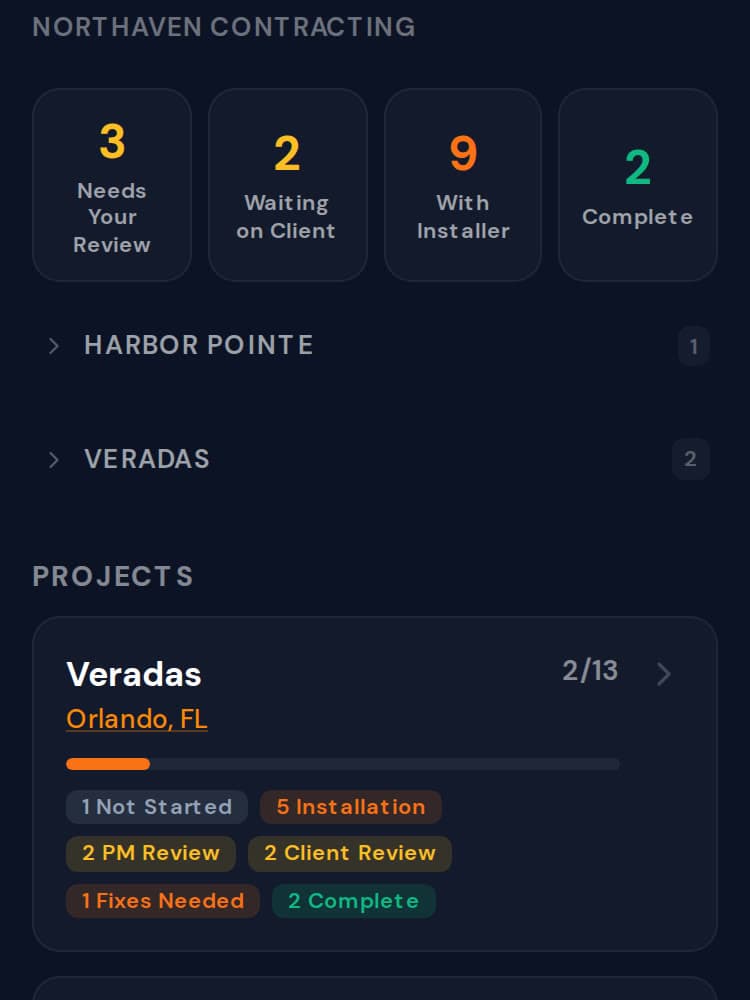
Step 3: The PM sees every unit by status.
Waiting on review, with the installer, waiting on the client, complete: every project and unit at a glance.
Real ProPunch screens, shown with a sample project.
A failed item goes back to the crew that owns it.
When the PM fails an item, the unit moves to Fixes Needed and the installer company assigned to that work is notified, with an in-app message to its team and an email to the company inbox. The crew makes the repair, marks it done and resubmits the unit for PM review.
- Failed checkpoints require a photo.
- It goes to the company assigned to that work.
- It stays open until the PM passes it.
96.5%
of checklist items passed PM review on the first attempt, across 105 units reviewed.
1,500+
checklist items reviewed by a PM in that same window: the dataset behind the 96.5%, not a second measure.
Measured at one beta partner (N=1 customer), a multifamily specialty contractor, from live production data, 26 Feb to 10 Jul 2026. Not a multi-customer benchmark.
How the first-pass rate is measured
Methodology: first-pass rate is computed from live production data at our beta partner, a multifamily specialty contractor (N=1 customer), over 26 Feb to 10 Jul 2026. Of 1,549 checklist items that received a project-manager review in that window, excluding items stamped for work completed before ProPunch was adopted, items force-passed and items marked not-applicable, 96.5% were approved on the first review with no rejection or rework, measured from each item’s recorded first-decision field. The figures span 105 reviewed units on one active multi-unit project; they reflect a single beta partner, not a multi-customer benchmark.
See it on your own project.
Thirty minutes. We walk a real unit, turn it into a punch list, and show you the record it leaves behind.